WhatsApp Automation for E-commerce India: COD, Carts, Orders
Set up WhatsApp automation for an Indian online store: COD confirmation, order updates, abandoned-cart nudges and festive broadcasts on the official Cloud API.
 Jaimik Patel, Founder of WhatsInfinityPublished . Updated
In this guide8 sections
Why WhatsApp fits Indian e-commerce
Most Indian shoppers already live in WhatsApp, and most of the messages an online store needs to send are short, time-sensitive and transactional: order placed, order shipped, out for delivery, please confirm your COD order. These are exactly the messages that get lost in SMS clutter or email promotions tabs.
Automating them on the official WhatsApp Cloud API means each message goes out from your verified business number, using a Meta-approved template, within seconds of the event. Your team stops copy-pasting order details into chats and starts handling only the exceptions.
The five automations worth building first
- Order confirmation: sent the moment an order is created, with the order number and expected delivery window.
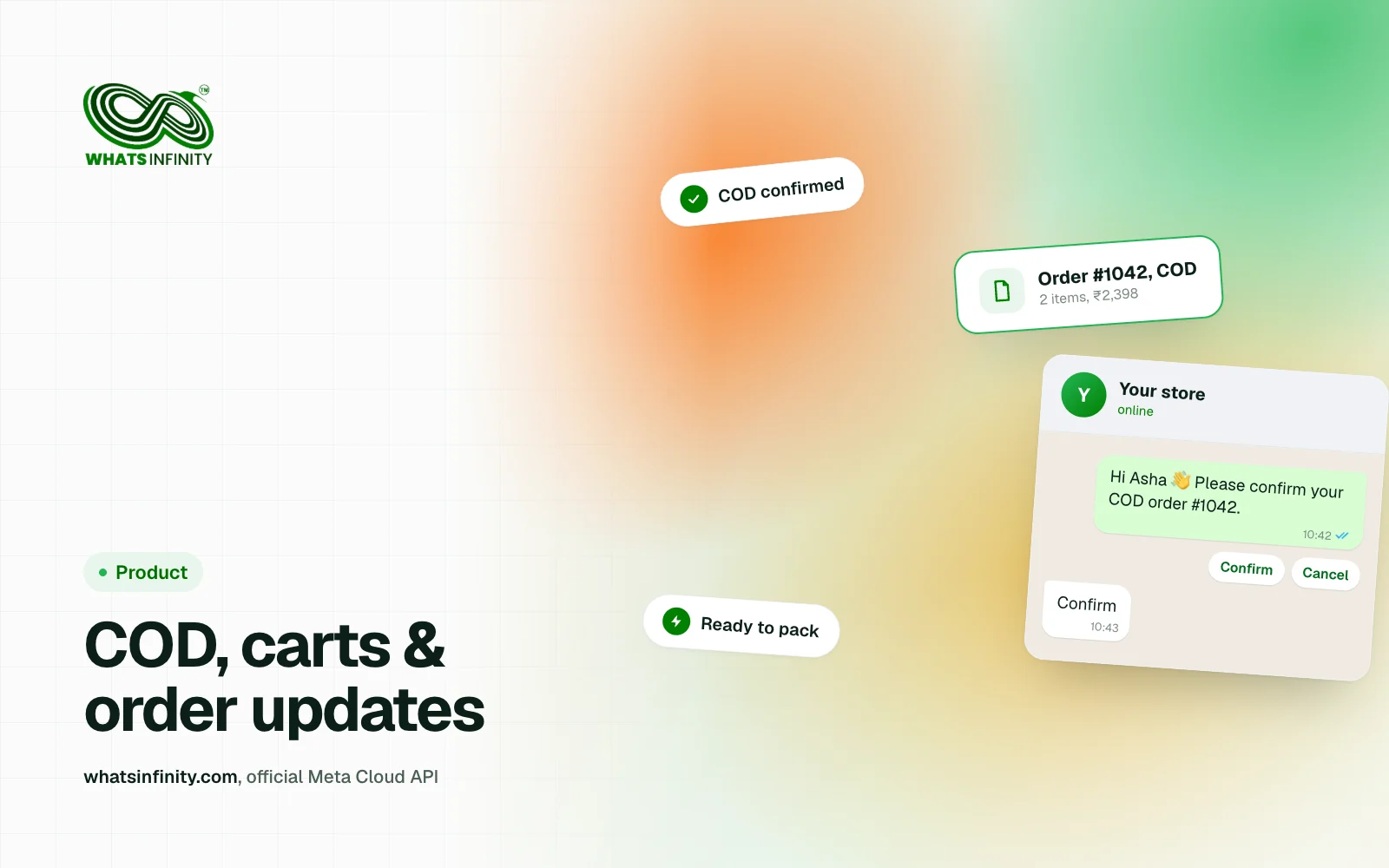
- COD confirmation: ask the customer to confirm a cash-on-delivery order with a button before you ship it.
- Shipping and delivery updates: fulfilled, out for delivery and delivered, each as its own utility template.
- Abandoned-checkout reminder: one gentle nudge for customers who opted in and left without paying.
- Post-delivery follow-up: a short thank-you with a review or reorder link a few days later.
COD confirmation: the highest-return message
Cash-on-delivery orders carry a risk that prepaid orders do not: the customer is not committed until the parcel arrives. A one-tap confirmation message ("Reply YES to confirm your order") filters out accidental and prank orders before you pay for shipping and return freight.
Treat the reply as data, not just a courtesy. Confirmed orders move straight to packing; unconfirmed ones get a single reminder and then a manual check. Over a few weeks your own numbers will show how many returns the step prevents.
Connecting Shopify to WhatsApp
If your store runs on Shopify, WhatsInfinity™ offers a Shopify connector on the Growth plan and above. You generate a link code in the dashboard, install the app in your shop, and paste the code to bind the shop to your WhatsInfinity workspace.
After that, store events can trigger templates you choose: order created, COD order, order paid, order fulfilled, order cancelled, and abandoned checkout. Each event is mapped to a template in the dashboard, and the send log shows what went out and when.
Utility versus marketing: keep the categories honest
WhatsApp templates are categorised by Meta. Order, payment and shipping updates are utility messages tied to something the customer already did. Abandoned-cart reminders and sale announcements are marketing messages, need the customer's opt-in, and are billed and reviewed differently.
Do not slip offers or discount codes into an order-update template to save money. Meta can re-categorise or reject templates that mix the two, and repeated mismatches can restrict your ability to submit new templates. See WhatsApp Message Templates Guide: Categories & Approval for the category rules.
Festive and sale broadcasts without the ban risk
Diwali, EOSS and Republic Day sales are where broadcasts earn their keep, and also where stores get careless. Send only to customers who agreed to hear from you, segment by what they bought or browsed, and cap frequency so a sale week is not ten messages long.
Use an approved marketing template with a clear opt-out line, schedule it for a sensible hour, and watch delivery and read rates in the broadcast report. The legal basics are covered in How to Send Bulk WhatsApp Messages Legally in India.
A simple measurement plan
- COD confirmation rate and the share of confirmed orders that are delivered.
- Return-to-origin (RTO) rate before and after you introduce confirmation.
- Abandoned-checkout recovery: orders completed within 24 hours of the reminder.
- Opt-out rate per broadcast, as an early warning that you are messaging too often.
Frequently asked questions
Can I send order updates on WhatsApp from my online store?
Yes. Order, payment, shipping and delivery updates are sent as utility templates through the official WhatsApp Cloud API. With a Shopify store, WhatsInfinity™ can trigger them automatically from store events on the Growth plan and above.
How does WhatsApp COD confirmation work?
When a COD order is created, an approved template asks the customer to confirm with a button or a reply. Confirmed orders go to packing; unconfirmed ones get one reminder and a manual check before you ship.
Do I need opt-in for abandoned-cart WhatsApp messages?
Yes. Abandoned-cart reminders are marketing messages, so only message customers who have opted in to hear from you on WhatsApp, and include a simple way to opt out.
Is the Shopify connector available on every plan?
No. The Shopify connector is part of the Growth plan and above. Check the current plan details on the pricing section of the homepage before upgrading.